






Learning paths organize sequential milestones toward a programme goal. Recognition should reflect the assessed achievement at each stage rather than merely recording navigation through content.
Define a milestone contract
For each stage specify the outcome, prerequisites, assessment, evidence and approving role. Keep participation, completion and competence distinct. The operational examples below should be checked against current product documentation before assuming a particular automated prerequisite feature.
Relate the path to a microcredential programme
Use microcredential programme guidance to define the scope of each achievement. A sequence of short activities does not automatically constitute a recognized qualification or accredited programme.
Review capability relationships
Use skills taxonomy mapping to relate assessed milestones to capabilities. Academic review is needed; similarity between a course name and a skill term is not sufficient.
Preserve achievements and provenance
A Comprehensive Learner Record can connect the path’s achievements while keeping issuer and assessment context. Agree how repeated modules, changes and prior learning will be handled.
Do not substitute opportunity matches for assessment
Workforce intelligence can inform relevance and career investigation. It does not prove that the path prepares every learner for every matching job. Use an authorized pilot and measured outcomes to evaluate the design.
Existing operational reference
Learning paths organise a sequence of achievements. Institutions can use them to define milestones, award criteria and recognition within a programme.
What is a Learning Path?
A learning path is a structured sequence of courses, modules, or milestones designed to guide learners through a comprehensive educational journey. It helps learners achieve specific learning goals by following a predefined roadmap. Learning paths ensure that learners progress logically and systematically, building on their knowledge and skills as they advance.
Explore the structure of a learning path here
How to Create a Learning Path
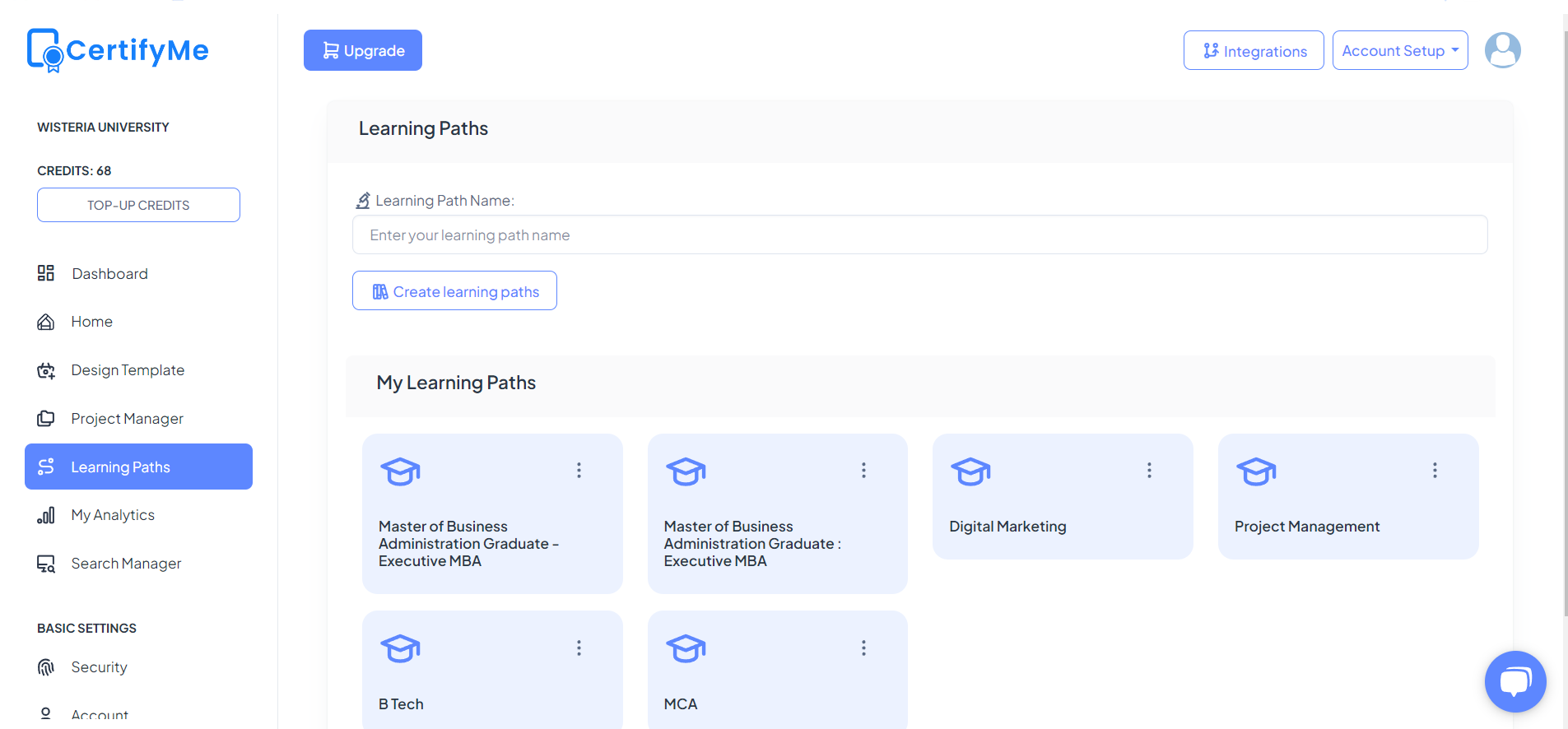
Creating a learning path in CertifyMe is straightforward and user-friendly. Follow these steps to set up a structured educational journey:
- Log in to your CertifyMe account.
- Navigate to the “Learning Paths” section.
- Click on “Create New Learning Path.”
- Enter the name and description of the learning path.
- Add the courses, modules, or milestones that make up the learning path.
- Arrange them in the desired order.
- Click “Save” to finalize the learning path.
You can follow along this step by step tutorial video
How to Add a Template to the Learning Path
Templates streamline the design and presentation of your learning path by providing a consistent and professional framework that ensures uniformity across all learning modules. To add a template to your learning path, simply follow the steps given below:
- Open the learning path you wish to edit.
- Navigate to the “Templates” section within the learning path settings.
- Click “Add Template.”
- Choose a pre-designed template or create a new one.
- Customize the template with relevant information, branding, and design elements.
- Save the template and assign it to the appropriate parts of the learning path.
What is Specialization in a Learning Path?
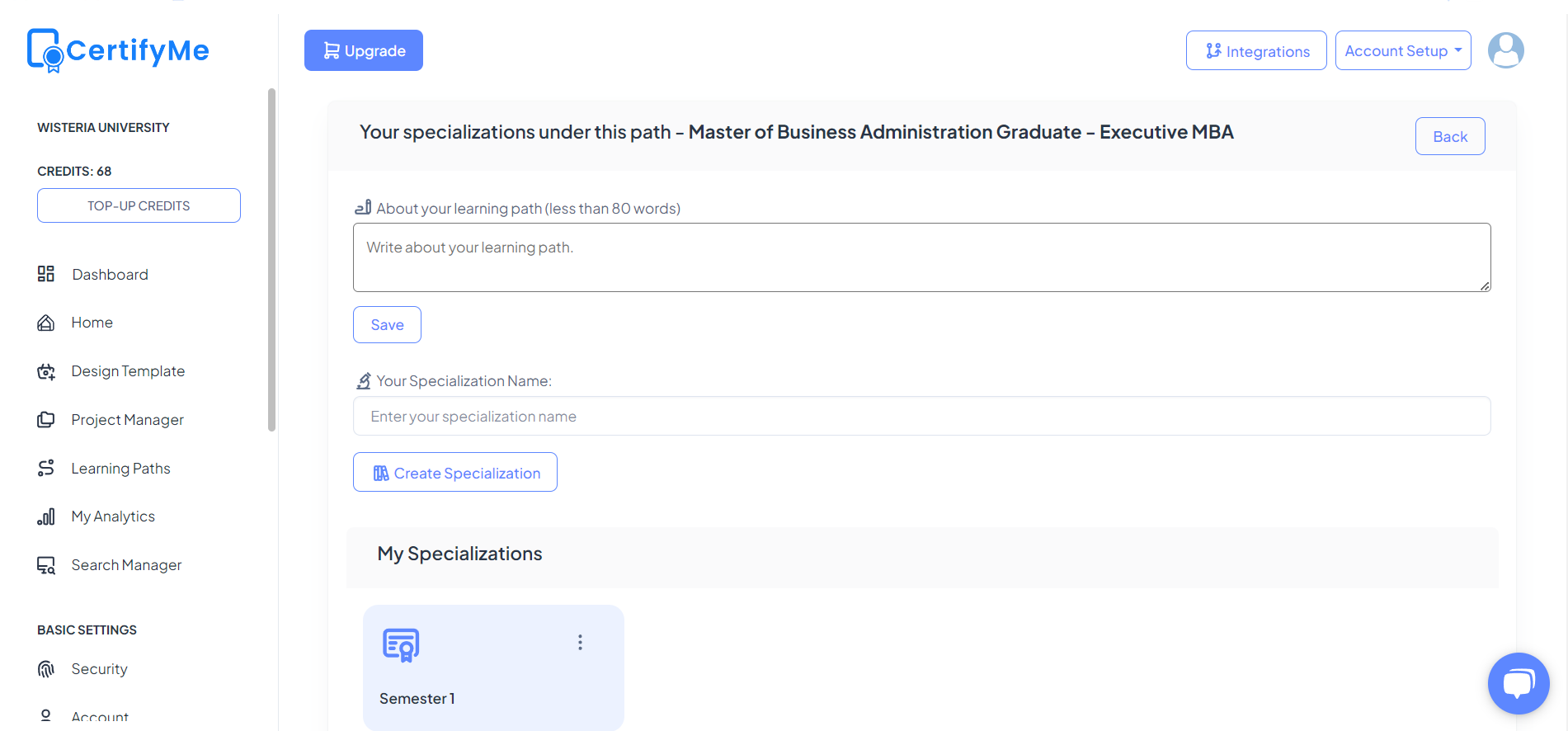
Specialization in a learning path refers to a subset of courses or modules focused on a particular subject area. It allows learners to gain deeper expertise in a specific field within the broader learning path. Specializations are essential for learners who want to master topics or skills beyond the general curriculum.
How to Add Specializations to the Learning Path
Specializations enhance learning paths by providing learners with targeted training that deepens their expertise in particular subjects. To add specializations:
- Go to the “Learning Paths” section and select the learning path you want to edit.
- Click on “Add Specialization.”
- Enter the name and description of the specialization.
- Assign relevant courses or modules to the specialization.
- Save the changes to integrate the specialization into the learning path.
What is Recognition in a Learning Path?
Recognition in a learning path refers to the awards, badges, certificates, or other acknowledgments given to learners upon achieving certain milestones or completing specific courses within the learning path. It serves to motivate learners and provide tangible proof of their accomplishments. Recognitions can be a powerful tool to encourage continuous learning and celebrate progress.
How to Add Recognitions to the Learning Path
To add a recognition to your learning path:
- Open the learning path you wish to edit.
- Navigate to the “Recognition” section.
- Click on “Add Recognition.”
- Define the criteria for earning recognition, such as completing specific courses or achieving certain milestones.
- Choose the type of recognition, such as badges, certificates, or awards.
- Save the settings to integrate recognition into the learning path.
By following these guidelines, you can create effective learning paths and specializations with CertifyMe, enhancing the educational experience for your learners and ensuring they achieve their learning goals efficiently and effectively.
Conclusion
Review each pathway’s milestones and award criteria with the responsible academic or training team. Measure participation and completion against your programme’s baseline.
Plan your next step
Discuss the actual award, evidence and implementation requirements with your institution. Request an institutional demo.
Frequently Asked Questions
Does completing a path automatically prove every related skill?
No. Only the achievements supported by the path’s assessment and evidence are established.
Can we assume all prerequisites and progress rules are automated?
No. Confirm supported behavior, configuration and exception handling in the current product documentation.