
CertifyMe REST API for Digital Credential Automation
Award, retrieve, edit, and delete verifiable digital credentials programmatically. CertifyMe's REST API gives developers full control over the credential lifecycle — from template creation to analytics — so you can integrate credentialing directly into your platform, LMS, or workflow.
-
No credit card required
-
-
Cancel it anytime
-
-
Free 7 days trial





.png)
Full Credential Lifecycle via REST API
The CertifyMe API is a RESTful JSON API hosted at https://my.certifyme.online/api/v2/. It covers four capability tiers — Credential, Template, Project Manager, and Analytics — giving your team programmatic control over every stage of the credentialing process. Whether you are issuing thousands of certificates automatically or pulling engagement analytics for your dashboard, the API handles it. Full interactive reference documentation is available at cme-api-v2.readme.io.
.png)
5000+
Institutions trust
CertifyMe
1M+
Wallets across 144
Countries
500K+
Digital credentials issued every year
Credential API — Award, Retrieve, Edit and Delete Credentials
The Credential API (Basic tier) is the core of CertifyMe's automation layer. Use POST /v2/credential to award a new credential to a recipient, GET /v2/credential/{id} to retrieve its full details, PUT /v2/credential/{id} to update it, and DELETE /v2/credential/{id} to revoke it. All endpoints accept and return JSON. This tier is included in all plans and supports bulk issuance workflows.
Template API — Create and Manage Credential Templates at Scale
The Template API (Advanced tier) lets your team manage the design and data structure of credentials without logging into the dashboard. Create a new template (POST /v2/template), copy an existing one, retrieve all templates for a folder, or delete a template by ID. The GET /v2/template/{id}/credentials endpoint returns all Credential IDs issued against a specific template — ideal for reporting and audits.

Project Manager API — Organise Credentials into Folders Programmatically
The Project Manager API (Advanced tier) allows programmatic management of folder structures within your CertifyMe institution account. Create a new folder by name, retrieve a folder by ID, or list all folders by institution ID. This keeps large-scale issuance programmes organised without manual dashboard work — useful for multi-department or multi-cohort deployments.
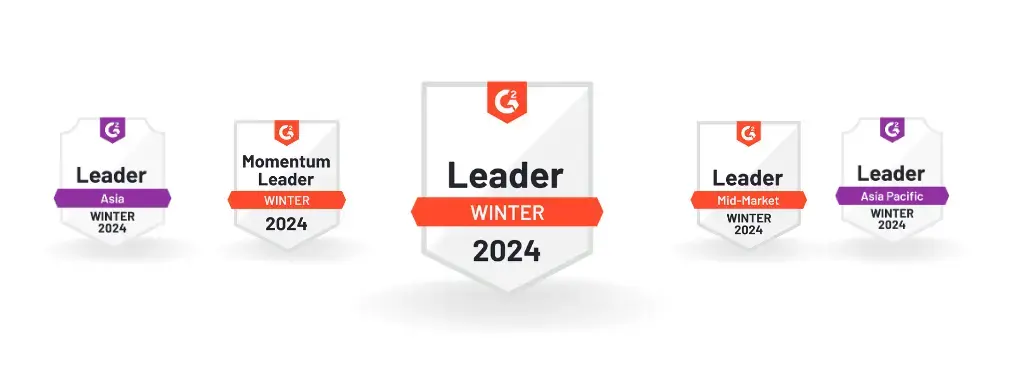



Impressive range of features sets it apart as the ultimate solution for certificate verification. Their enterprise plan, along with customizable options, caters to diverse company needs, making it an awesome choice.

What truly stands out about CertifyMe is the remarkable support provided by their customer success team. They go above and beyond to ensure a seamless experience. Additionally, the platform boasts a clear and intuitive user interface, allowing easy navigation and customization.

As a training provider, we appreciate the user-friendly interface and customizable digital badging options, which our students enthusiastically showcase on their social media profiles.

It offers an end-to-end solution, is user-friendly with single-click awarding, enables students to share badges on LinkedIn, provides branding options, and has excellent customer support and training.

CertifyMe API — Developer FAQ
Common questions from developers integrating CertifyMe's credentialing API.
1. What is the CertifyMe API base URL?
The base URL for all CertifyMe API v2 endpoints is https://my.certifyme.online/api/v2/. Interactive API reference documentation with request/response examples and a live try-it console is available at cme-api-v2.readme.io.
2. Which API tier do I need to award credentials?
Awarding, retrieving, editing, and deleting individual credentials is part of the Credential API (Basic tier), included in all CertifyMe plans. The Template API, Project Manager API, and Analytics API are Advanced tier features available on higher plans.
3. Does CertifyMe support bulk credential issuance via API?
Yes. The Credential API supports bulk issuance workflows. You can POST multiple credentials programmatically in sequence or in parallel using your own orchestration layer. For no-code bulk issuance, CertifyMe also integrates with Zapier, Make, and major LMS platforms without writing API code.
4. Where can I find the full API reference and OpenAPI specification?
The complete interactive API reference — including request schemas, response examples, authentication details, and a live try-it console — is at https://cme-api-v2.readme.io. An OpenAPI-compatible index for AI agents is available at https://cme-api-v2.readme.io/llms.txt.
Have any questions? Learn More