Connect WebinarJam/EventWebinar with CertifyMe
Plan a Zapier workflow from WebinarJam/EventWebinar to CertifyMe. Choose an approved award event, map recipient data and test credential delivery before enabling automation.
Access WebinarJam/EventWebinar Integration





.png)
5000+
Institutions trust
CertifyMe
1M+
Learner wallets
worldwide
Global reach
Across diverse regions and sectors
WebinarJam/EventWebinar and CertifyMe Integration Steps
 Access to WebinarJam/EventWebinar account
-
Configure WebinarJam/EventWebinar & CertifyMe
-
Pick WebinarJam/EventWebinar as trigger
-
Choose CertifyMe as action
-
Map the right data
-
Finish
.png) Access to CertifyMe account
Access to CertifyMe account
.png)

What should you validate before rollout?
-
Approved award event
-
Account permissions
-
Supported trigger and action
-
Recipient data mapping
-
Delivery and exception handling
-
Credential verification
-
Duplicate-event protection
-
Expected volume and plan limits
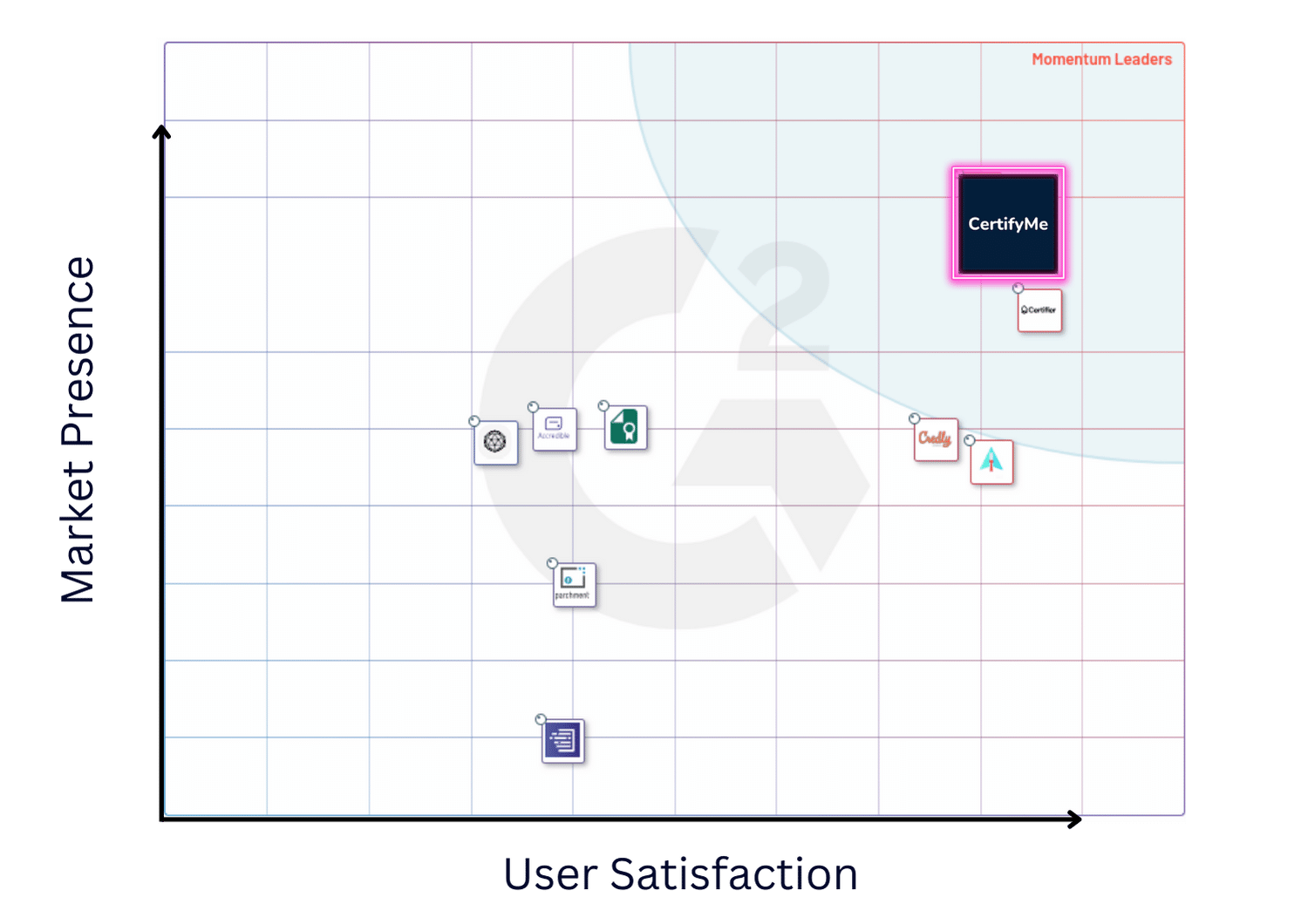
See what reviewers say about CertifyMe
Ranked #2 in G2’s Digital Credential Management category by G2 Score, checked 3 October 2026. This is distinct from the separate #2 Easiest To Use placement. Ratings and rankings change; check the linked sources for current results.



-
Not sure about how to begin? Let us guide you in the right direction!
-
Free 5 Credentials
-
-
Exclusive Support
Our Happy Customers
Impressive range of features sets it apart as the ultimate solution for certificate verification. Their enterprise plan, along with customizable options, caters to diverse company needs, making it an awesome choice.

What truly stands out about CertifyMe is the remarkable support provided by their customer success team. They go above and beyond to ensure a seamless experience. Additionally, the platform boasts a clear and intuitive user interface, allowing easy navigation and customization.

As a training provider, we appreciate the user-friendly interface and customizable digital badging options, which our students enthusiastically showcase on their social media profiles.

It offers an end-to-end solution, is user-friendly with single-click awarding, enables students to share badges on LinkedIn, provides branding options, and has excellent customer support and training.

WebinarJam/EventWebinar + CertifyMe: Common Questions
How connected activity becomes an institution-issued credential.
1. How long does it take to integrate WebinarJam/EventWebinar with CertifyMe?
Setup time varies with the supported trigger and action, account authorisation and field mapping. A configured workflow connects an approved event with credential issuance and delivery.
2. Do I need technical skills to connect WebinarJam/EventWebinar with CertifyMe?
Supported Zapier workflows offer visual configuration for account connections and field mapping. Custom API workflows may require development. Connection options depend on the apps and actions available in your account plans.
3. What credentials can I send through the WebinarJam/EventWebinar integration?
The supported credential action can issue an award using an approved template and recipient data. Available formats and delivery options depend on the selected connection and plan. Transcript and learner-record workflows have their own integration scope.
4. Is the WebinarJam/EventWebinar integration free to try?
CertifyMe offers 5 free credentials to get started. Workflow costs also depend on the Zapier and WebinarJam/EventWebinar plans and the volume of credentials issued.